It’s simple but very effective, We are here to connect the producer and the consumer. On this platform a farmer can create his/her account and start selling the produce online. Consumers are also able to buy the produce straight from the producers at affordable farm prices.
How does a farmer create an account?
STEP 1
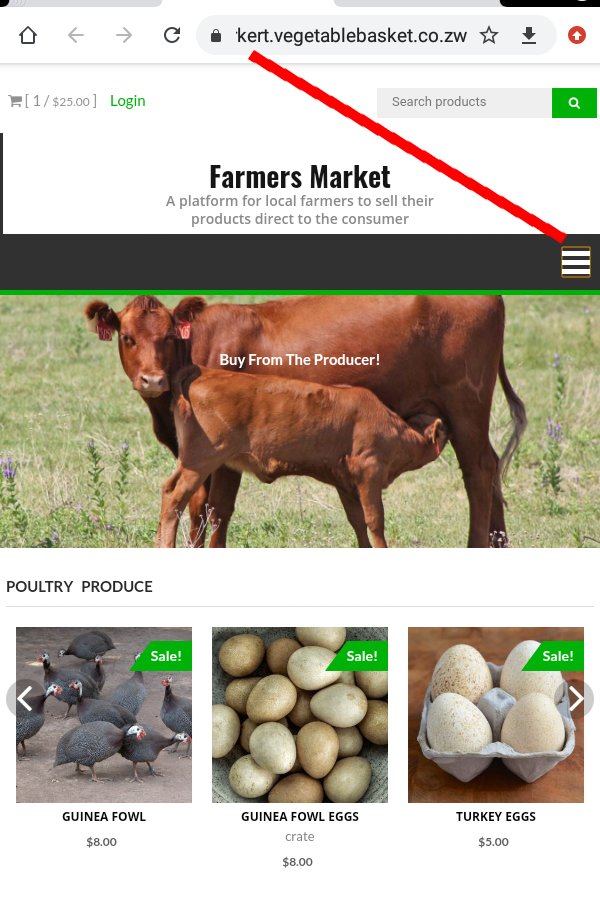
If you are using a mobile phone click on the right toggle, then the menu will display. After that click on MY ACCOUNT
STEP 2
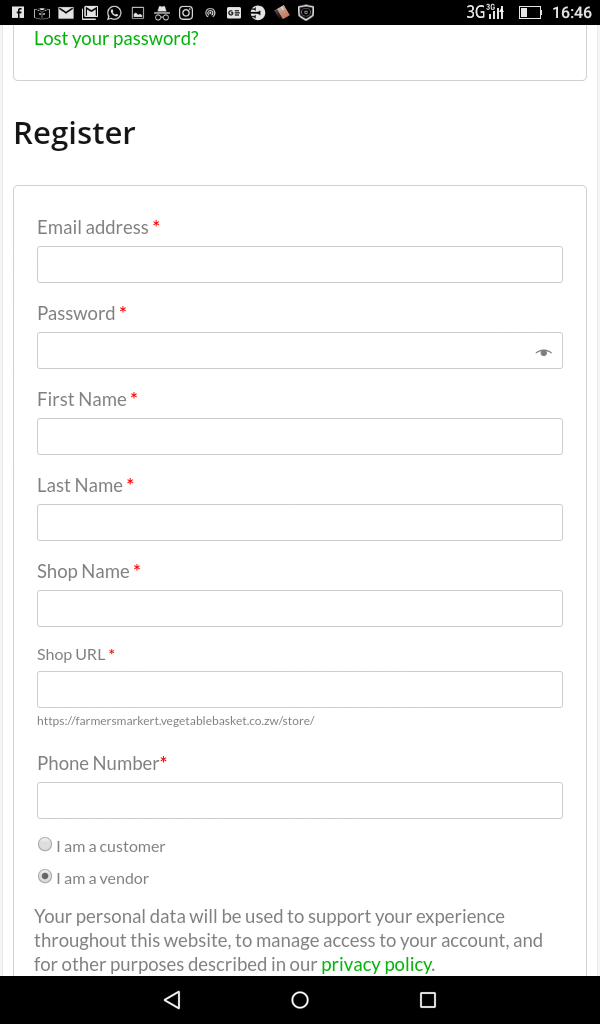
Put your details on the second form and register as a vendor. Put your correct email address because orders will be send using that email. You can name your shop using an unique name you may think of, for example VEGETABLE BASKET
STEP 3
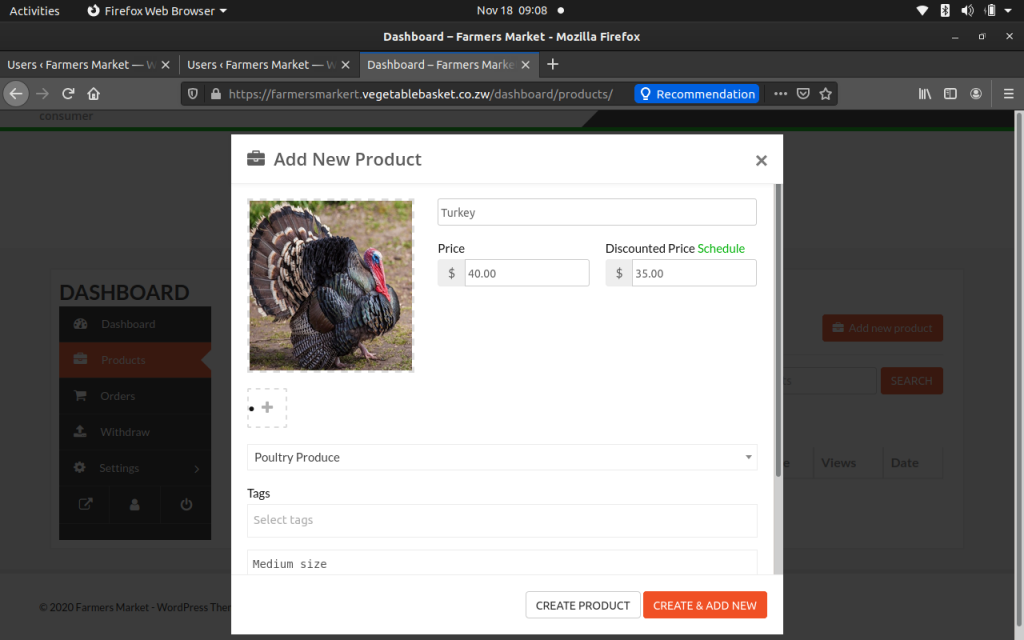
After registering successfully, you will select an option to login to your dashboard. You will need to click where its written Add New Product. You will see these options,
(i)Photo Upload
-Upload the photo of your product. When you click this option you will be directed into your phone gallery.
(ii) Product name/title
– Give your product a name for example, Large Pumpkins, EGGS…..
(iii) Price
-Put the price of your product
(iv) Category
– Choose the category which best suits your product from the given categories.
– Every product should have a category, on this platform we only allow vendors to sell farm produce.
-When you have finished click at the bottom right corner where its written Create & Add New
STEP 4
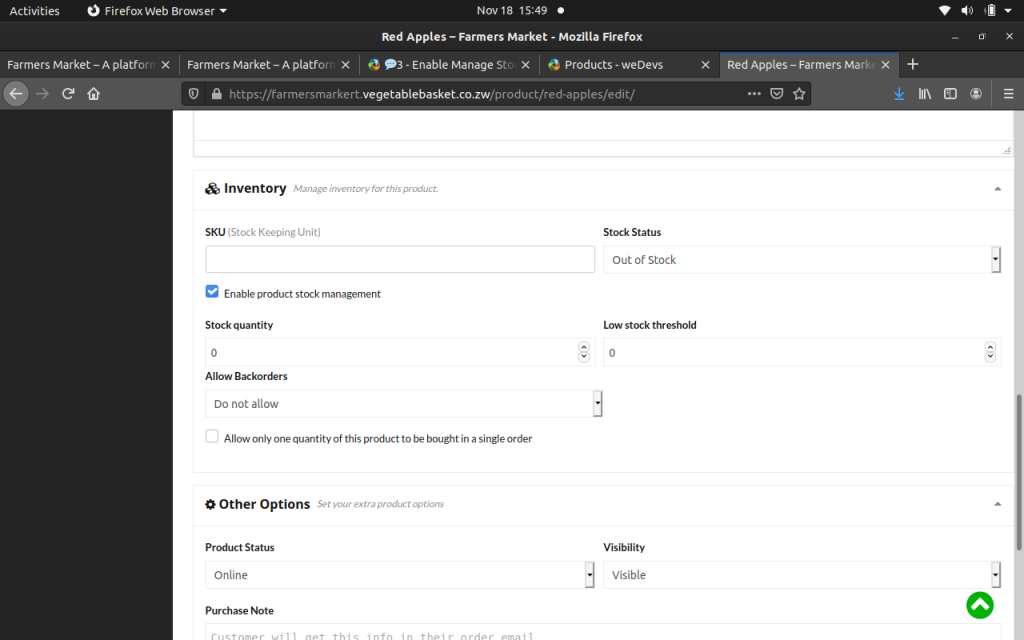
* For more options, click where it’s written Edit Product. After that you’ll see a number of options.
* Enable Product Stock Management
–This option enables you to manage your stock. For example if you are selling 50 cows on Stock Quantity you will write 50, this will help clients to know if your product is in stock or not.
* Purchase Notes
– If there is a special message you would wants the clients to know about your product you can put the information in the text box.
– We have just highlighted the major requirements, you can even explore some of the options in your customer dashboard.
STEP 5
-After saving your product, our admins will review your product to check if it’s in the right category, picture quality etc..
– Your product’s status will be PENDING soon after saving it, when our admins have fully reviewed the product, the status of the product will change to ONLINE. If you visit the front page of our website you will see the product (It will appear in the specific category which you have assigned it to)
What happens when a client purchase my product?
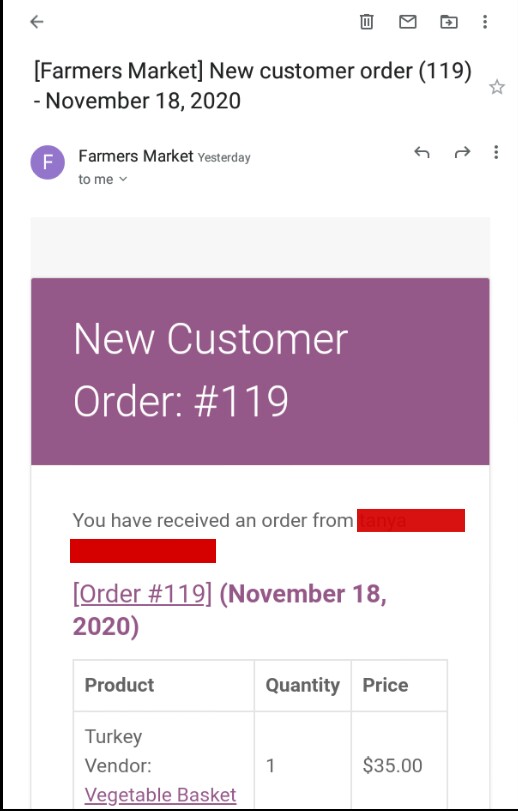
-You will receive an email which will be looking like the screenshot below. The email will show you the the contacts of your client, phone number,physical address and email
–The payment is not done on the website, after you have received this email you will have to contact your client and make payment & delivery arrangements.
– Farmers Market platform is only there to provide a platform to connect the Producer and the Consumer, We are not responsible for any misconduct which may arise.
For now farmers can use this platform for free, The free trial is only for a short period of time.
– Spread the word to all the farmers in the country to utilize this opportunity.